Refactoring UI keynotes (Part 2)
June 19, 2024
Start with too much white space
A better approach is to start by giving something way too much space, then remove it until it you’re happy with the result.
Define the system
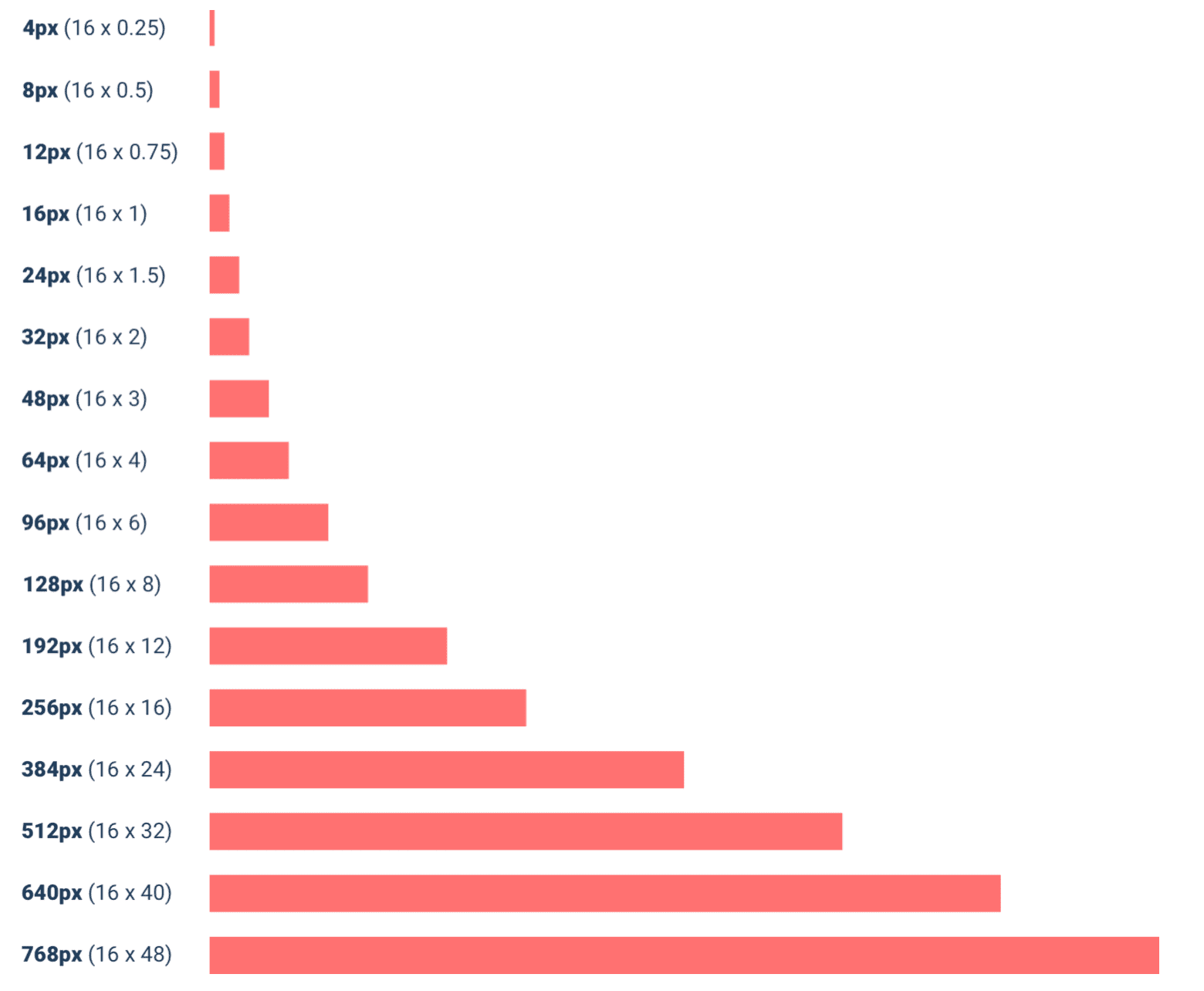
A simple approach is to start with a sensible base value, then build a scale using factors and multiples of that value.
16px is a great number to start with because it divides nicely, and also happens to be the default font size in every major web browser.
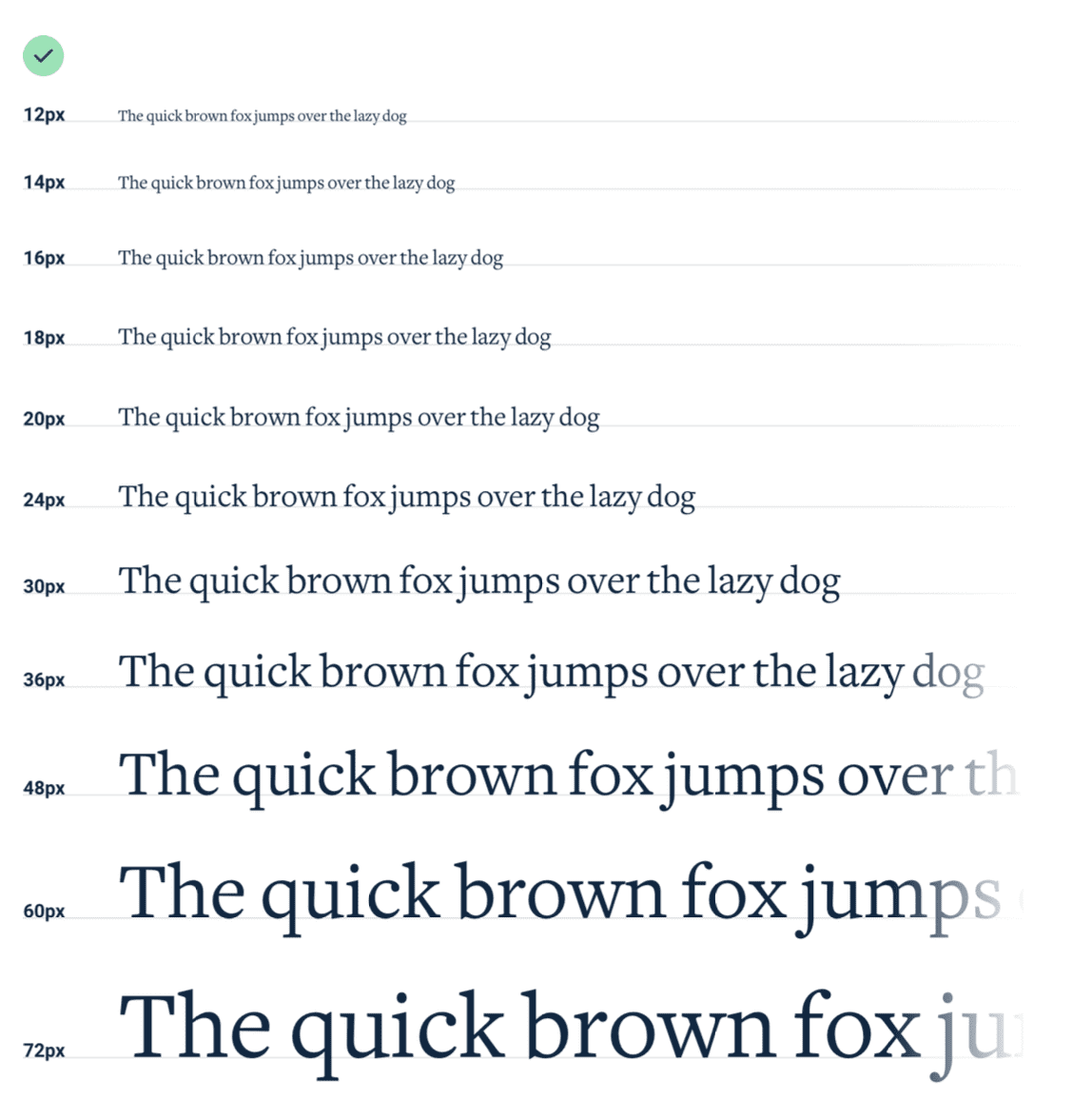
A spacing and sizing system will help you create better designs, with less effort, in less time. Design advice doesn’t get much more valuable than that.
Grids are overrated
The problem with treating grid systems like a religion is that there are a lot of situations where it makes much more sense for an element to have a fixed width instead of a relative width.
Relative sizing doesn’t scale
As a general rule, elements that are large on large screens need to shrink faster than elements that are already fairly small — the difference between small elements and large elements should be less extreme at small screen sizes.
Keep your line length in check
For the best reading experience, make your paragraphs wide enough to fit between 45 and 75 characters per line. The easiest way to do this on the web is using em units, which are relative to the current font size. A width of 20-35em will get you in the right ballpark.
Line-height is proportional
Line-height and paragraph width should be proportional — narrow content can use a shorter line-height like 1.5, but wide content might need a line-height as tall as 2.
Align with readability in mind
Center-alignment can look great for headlines or short, independent blocks of text. But if something is longer than two or three lines, it will almost always look better left-aligned.
Right-align numbers.
Use shadows to convey elevation
Small shadows with a tight blur radius make an element feel only slightly raised off of the background, while larger shadows with a higher blur radius make an element feel much closer to the user.
Prevent background bleed
When a user provides an image with a background color that’s similar to the background in your UI, the image and the background can bleed together, causing the image to lose its shape.
Instead of trying to solve this with a border, try using a subtle inner box shadow. Similarly, a semi-transparent inner border works great, too.
Don’t overlook empty states
If you’re designing something that depends on user-generated content, the empty state should be a priority, not an afterthought.
Try incorporating an image or illustration to grab the user’s attention, and emphasizing the call-to-action to encourage them to take the next step.
If you’re working on something that has a bunch of supporting UI like tabs or filters, consider hiding that stuff entirely. There’s no point in presenting a bunch of actions that don’t do anything until the user has created some content.
Reference
https://www.refactoringui.com/